
Sendy just shipped version 7 — the biggest update to the self-hosted email marketing platform in years. We run Sendy for hundreds of customers at Sendybay, so the moment 7.0.2 hit, we tested it end-to-end. This is the honest review: what's actually new, what's worth caring about, what's missing, and whether the $34 upgrade pays for itself.
If you're skimming, here's the short version. Sendy 7 is a substantial upgrade. The interface finally feels modern, sends really are about twice as fast, and the new drag-and-drop builder closes the single biggest feature gap Sendy had against Mailchimp-style competitors. The optional AI add-on is more useful than we expected.
Let's get into it.
The headline changes, ranked by how much they'll affect your day-to-day:
Pricing: $34 for the upgrade. AI Assistant add-on bundled at $25 with the upgrade (regular $49).
Sendy's old UI worked but it was beginning to look like a relic — the design language hadn't meaningfully changed in years. Version 7 ships a complete visual rebuild. Typography is tighter, padding is generous instead of cramped, color choices are more considered, and the whole app feels like it was designed in this decade.
Campaign reports got the biggest treatment. Where you used to see a wall of numbers, you now get a card-based layout that surfaces opens, clicks, click-to-open rate, unsubscribes, bounces, and spam complaints in a way you can actually scan. CTOR — a metric Sendy users have been asking for forever — is now native to both campaign and autoresponder reports, and it also appears as a per-link metric inside the Link Activity table.
And then there's dark mode. It looks great. The shortcut moved from Ctrl + G to Ctrl + D to stop fighting with Chrome's new Gemini hotkey, which is a small but thoughtful touch.
Sendybay take: the UI refresh alone is the kind of thing that quietly reduces support tickets. In the first days of running 7 in production for customers, we've already had fewer "where's the X" tickets than we'd usually see during a major version change.
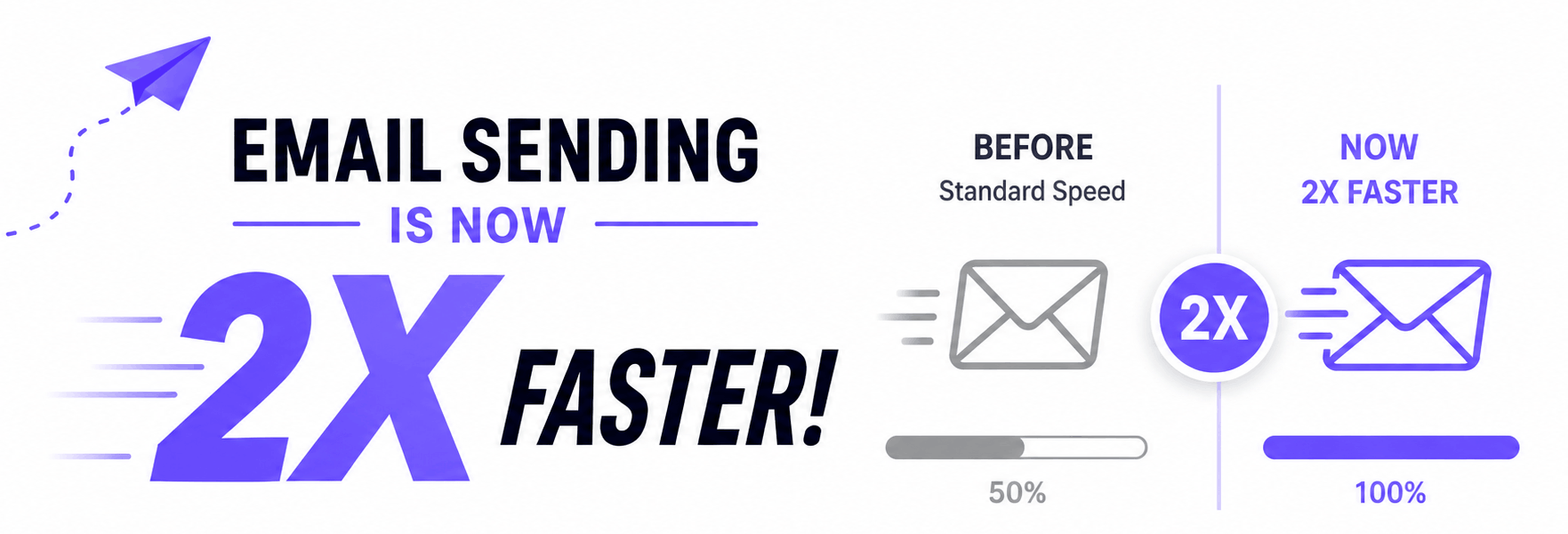
Sendy is claiming roughly 2x the throughput of version 6. From our own load testing across customer installs, the real-world number lands close to that — somewhere between 1.7x and 2.2x depending on list size, list complexity, and the SES region you're sending from.
The improvement comes from two places. The underlying send loop was rewritten, and the way Sendy calculates subscriber totals on very large lists was overhauled — so accounts with millions of subscribers should see noticeably steadier sends rather than the occasional stall.
If you ship a weekly newsletter to 200,000 people and it usually takes you 90 minutes, you're looking at finishing in under 50. For agencies sending across multiple brands per day, this is real time back.
This is the feature we've been pestering Sendy about for years. Version 7 ships a proper drag-and-drop editor that lets non-technical users build emails without touching HTML.
What we like about Sendy's implementation specifically:
If you've been holding off on putting non-technical teammates into Sendy because the editor was too rough, that excuse is gone.

New Sendy installs and new brands now come with four built-in email templates. Existing users who upgrade get them too. They're competent — not award-winning, but useful as starting scaffolds.
Version 7.0.2 also adds one-click template duplication. Tiny feature, surprisingly nice in practice — you can clone a sample template instead of accidentally overwriting it.
For the entire history of Sendy, image management has been "upload it again." Version 7 finally adds a File Manager: a central place to store, organize, and reuse images across campaigns, autoresponders, and templates.
It's not Cloudinary, but it doesn't need to be. It's the missing 80% that should have been there years ago.

If you've ever had a campaign stall mid-send because SES paused your account, you know how stressful it is to figure out what's happening. Sendy 7 adds a live Amazon SES Status indicator in the sidebar that pulls directly from Amazon's GetAccount.EnforcementStatus API. You'll see your real reputation state — Healthy, Probation, or Shutdown — at a glance, in real time.
That's a meaningful upgrade from version 6, which calculated its own status from GetSendStatistics() and could occasionally disagree with reality.
While we're on the SES side, version 7 also adds support for two new regions — Canada West (Calgary) and Asia Pacific (Malaysia) — and reorganizes the region dropdown into geographic groups, sorted alphabetically within each group. The SES production-access request link in the sidebar was also corrected.
The AI Assistant is a separate purchase on top of the v7 upgrade. Bundled with the upgrade it's $25; bought later it's $49. It adds four AI features inside Sendy.
You describe the email you want, optionally point it at a sample newsletter URL for visual reference, and the assistant generates a complete HTML email. The output drops straight into the new drag-and-drop editor so you can refine it.
In our testing, the generated templates are good enough to ship after a light pass. They're not Stripe-newsletter-grade, but they're better than 90% of what you'd hand-code under time pressure.
A "Generate subject with AI" button appears in the campaign, autoresponder, and template editors. It reads the actual email body and proposes subject lines that match the content — not generic platitudes. We've found these are usually within shouting distance of what a copywriter would produce, and a strong starting point for A/B variants.
When you're finishing a campaign or autoresponder, you can ask the assistant to review it. It flags weaknesses, deliverability risks, and clarity issues, and suggests specific rewrites. Think of it as a junior copy editor reading over your shoulder. It's not infallible — it'll occasionally over-flag minor things — but it catches small mistakes that would otherwise slip past.
This is the feature that surprised us. After a send, the assistant analyses your campaign report and turns the numbers into plain English: a campaign score, a performance summary, key strengths and risks, a deeper look at CTOR, where opens are coming from, and recommendations for the next campaign.
The honest answer to "is my open rate good for this audience?" is one of the hardest questions a Sendy operator faces. This answers it instantly. For a $25 upgrade-time bundle, that's a fair trade.
Not headline-grabbing, but they affect stability:
If you have custom plugins, custom themes, or anything that hooked into jQuery internals, test before you push v7 to production. Most installs will be fine; some will surface custom-code issues that have been latent since 2014.
If you bought or upgraded Sendy before November 8, 2025, you'll need to upgrade your license to download 7.0.2.
Yes, in almost every scenario.
The only reason to wait is if you've got heavy custom code on top of Sendy and you need time to test the jQuery 4 upgrade. Even then, the answer is "test for a week, then upgrade" — not "skip it."
The process depends on whether you run Sendy yourself or let someone else handle it.
Click a button. That's the whole process. We test every Sendy release across our fleet first, then make it available as a one-click upgrade inside your dashboard. Backups happen automatically before the switch, and we roll back instantly if anything misbehaves.
Plan an hour, possibly more, and don't do it on a campaign day.
config.php, /uploads/, and any custom files. Do not skip this — there is no undo button.config.php from /includes/ into the new build's /includes/ folder. Copy any custom language files from /locale/ into the new build's /locale/. Delete the new build's /uploads/ folder so it doesn't clobber your existing assets. Delete the new .htaccess if you've customized yours.If something does break, you'll be glad you took step 1 seriously.
We're biased — we run Sendybay, so of course we think managed hosting is the better path. But here's the honest comparison, feature by feature, so you can decide for yourself.
Sendy 7 upgrade. Sendybay: one-click, tested, included. Self-hosted: $34 license plus a manual file swap.
Future updates (7.x, 8.x, etc.). Sendybay: included and automatic. Self-hosted: pay for each major version and run the upgrade by hand every time.
Server setup. Sendybay: done for you. Self-hosted: you provision, secure, and maintain the box.
Backups. Sendybay: automatic, daily. Self-hosted: you set up cron jobs and snapshots yourself.
Deployment and rollback. Sendybay: automatic, with one-click rollback if something breaks. Self-hosted: FTP or SSH, and no rollback unless you built one.
Email testing. Sendybay: built-in inbox previews and rendering checks. Self-hosted: bring your own (Litmus, Mailtrap, Email on Acid).
List cleaning. Sendybay: built-in. Self-hosted: bring your own (NeverBounce, ZeroBounce, Kickbox).
Email preview text (preheader). Sendybay: native field in the campaign editor. Self-hosted: not native — Sendy users hack it with hidden HTML in the email body.
Templates included. Sendybay: 241 ready-to-use templates. Self-hosted: 4 (the new v7 starters).
BEE Plugin drag-and-drop editor. Sendybay: bundled. Self-hosted: separate purchase and install.
AI Assistant features. Sendybay: available on supported plans. Self-hosted: $25–$49 add-on.
Amazon SES / SMTP. Both: bring your own, so you keep control of deliverability and sender reputation.
Privacy positioning. Both: subscriber data stays in your stack — that's Sendy's core appeal either way.
Support. Sendybay: founder-led, email support@sendybay.com. Self-hosted: Sendy's core support, and you own the server.
Best for. Sendybay: marketers and agencies who want Sendy without the sysadmin tax. Self-hosted: teams with dedicated devops who want full control.
The short version: self-hosted Sendy is great if you have a sysadmin and want maximum control. Sendybay is great if you want the Sendy product without the server underneath it — plus the tools Sendy itself doesn't include.
Beyond just hosting, Sendybay bundles the things most Sendy operators end up buying separately:
All of this on top of the v7 upgrade you're already getting included.
If you've been considering Sendy but the self-hosting friction puts you off — or if you're already on Sendy and tired of the upgrade dance — Sendybay handles it. Pricing starts at the Basic plan, with high-volume senders moving into our Lite and Pro tiers with sending limits up to 3.5M emails per month.
Sendy 7 shipped in May 2026, with v7.0.2 as the current point release. Sendy doesn't publish a hard release date on its changelog, but the license cutoff is anchored to November 8, 2025 — anyone who purchased or upgraded before that date needs to renew their license to download v7.0.2.
$34 for the upgrade. The optional AI Assistant add-on is $25 bundled with the upgrade or $49 if you buy it later.
For almost every user, yes. The 2x speed improvement, the new drag-and-drop builder, the file manager, and the redesigned reports each justify the $34 on their own.
The core Sendy 7 build does not include AI. AI features (template generation, subject lines, pre-send review, campaign insights) are an optional add-on at $25 bundled with the upgrade or $49 separately.
Most installs will be fine. The biggest risk is the jQuery upgrade from 1.x to 4.0.0 — if you have older custom code that relies on deprecated jQuery APIs, you should test on a staging copy before upgrading production.
Yes — version 7 adds Canada West (Calgary) and Asia Pacific (Malaysia). The region dropdown is also now sorted by geographic group.
Yes — Sendybay customers get Sendy 7 included as part of managed hosting, with no separate license fee. You can start a Sendybay account without needing to purchase the v7 upgrade yourself.
Have questions about Sendy 7 or want help migrating? Email us at support@sendybay.com — we run Sendy installs for a living, and we're happy to talk through whether self-hosting or managed hosting makes more sense for your setup.