Sendy supports two-factor authentication to increase security of your account. Sendybay, as the popular managed service provider for Sendy supports the same and takes it even further with extra monitoring and behind the scenes security audits. This blog outlines how you can enable two-factor in your Sendy installation.
You will need to log in as admin in your Sendy installation on Sendybay.
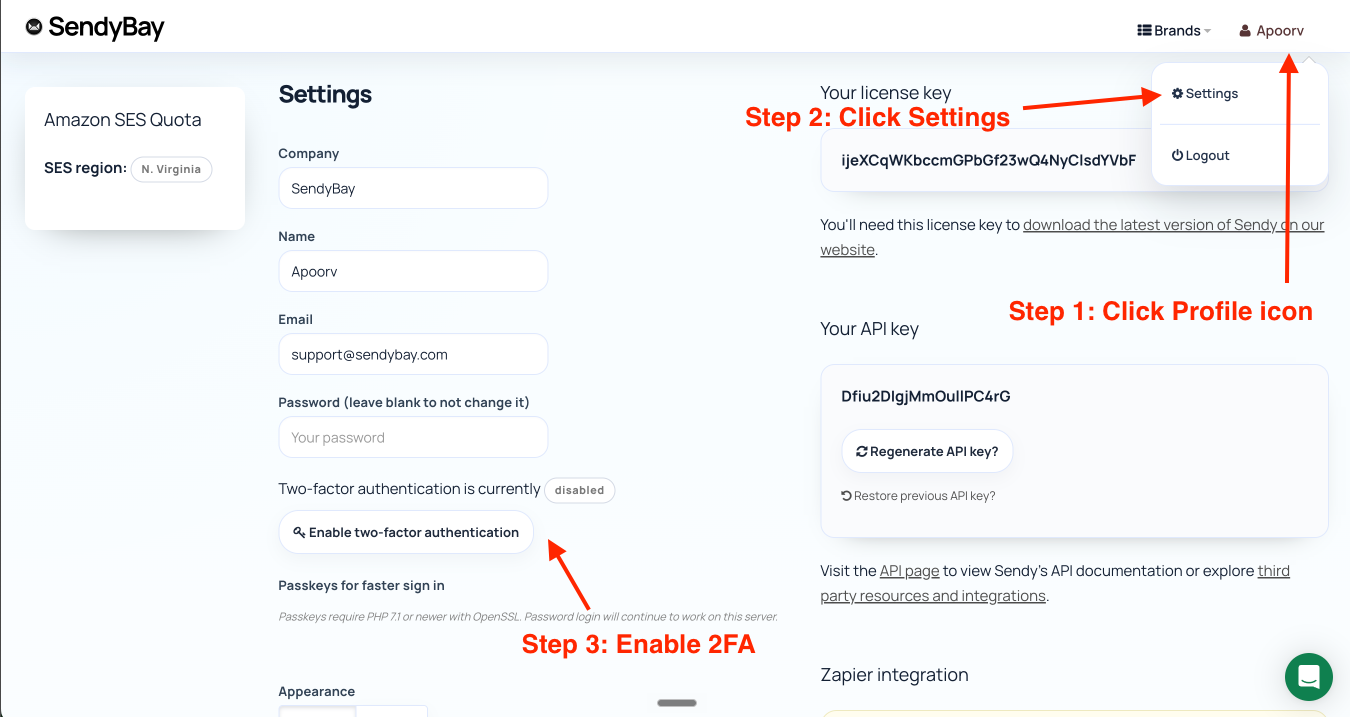
Click on the profile button on the right top corner. It reveals a dropdown menu which has link to Settings. Click on that.
On the left pane, you will find the button to enable two-factor authentication.
Clicking on it shows you the QR code which you can use in your 2FA app (like Google Authentication or Okta) and this will setup your two-factor authentication for your Sendy account.